Your ASIC fleet
in your pocket.
And why a miner stopped.
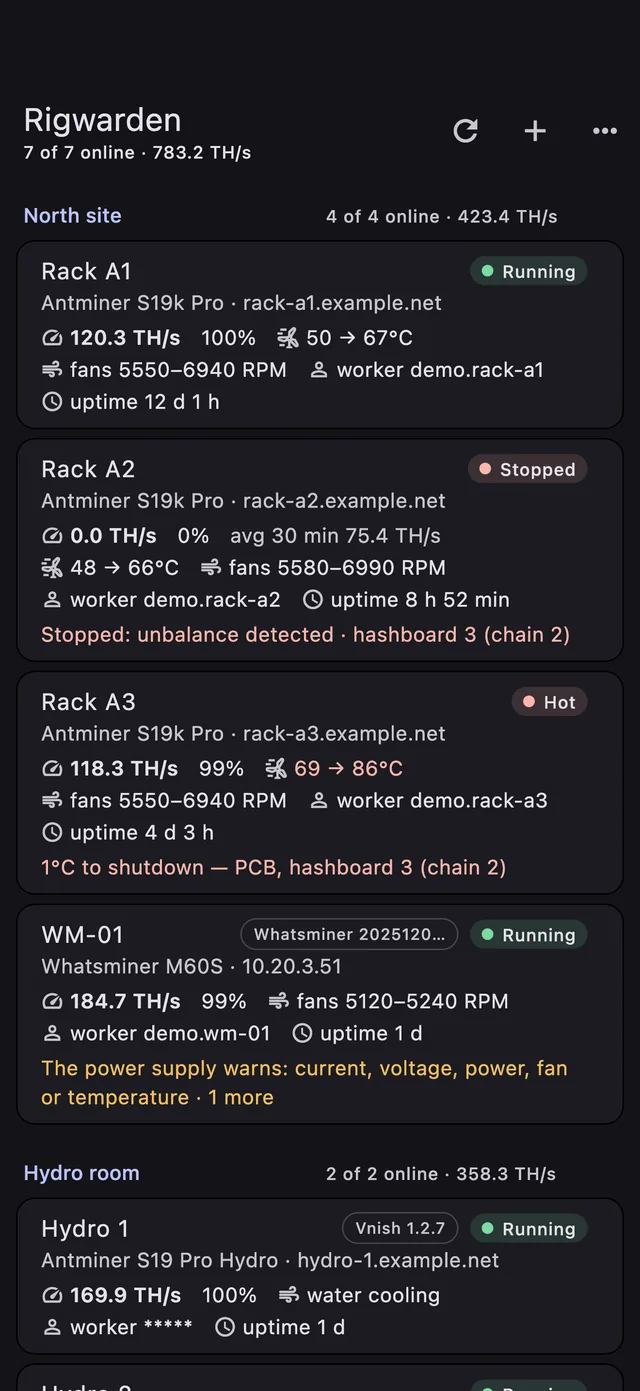
Rigwarden watches every miner of every site — Antminer, Whatsminer, Bitaxe and Vnish — straight over their own APIs. It reads the miner’s log and tells you what broke, before you drive to the site.

 Coming soon to the App Store and Google Play
- No cloud
- No account
- No agent on the miners
- Nothing leaves your device
The web page says the hashrate dropped. Rigwarden says why.
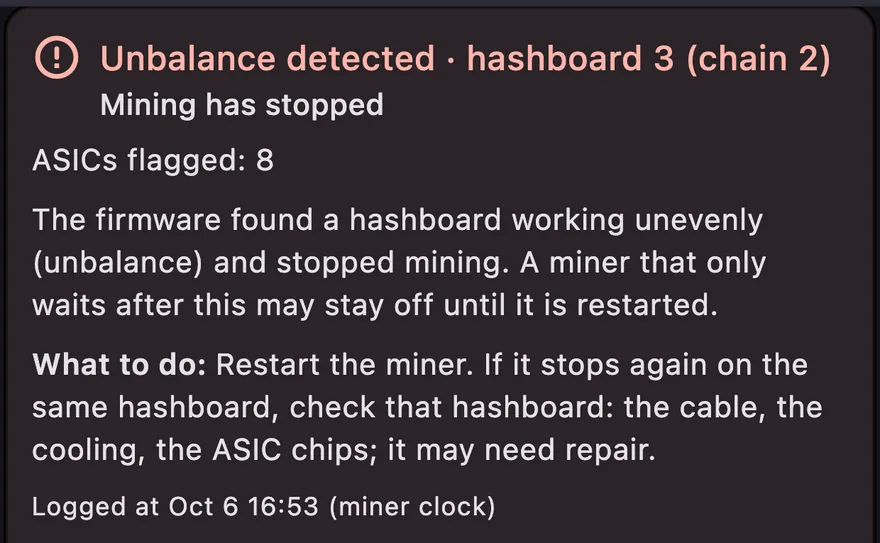
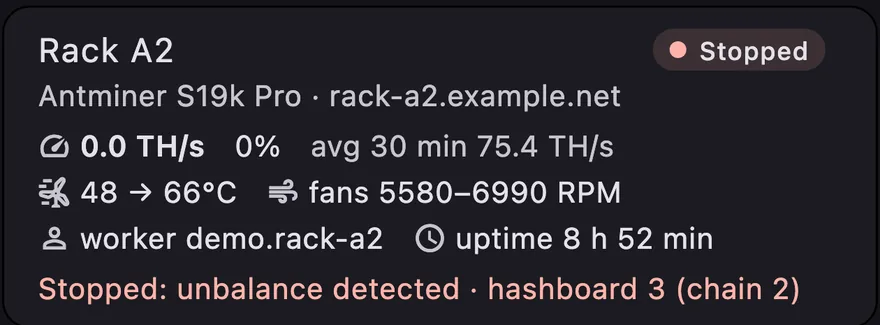
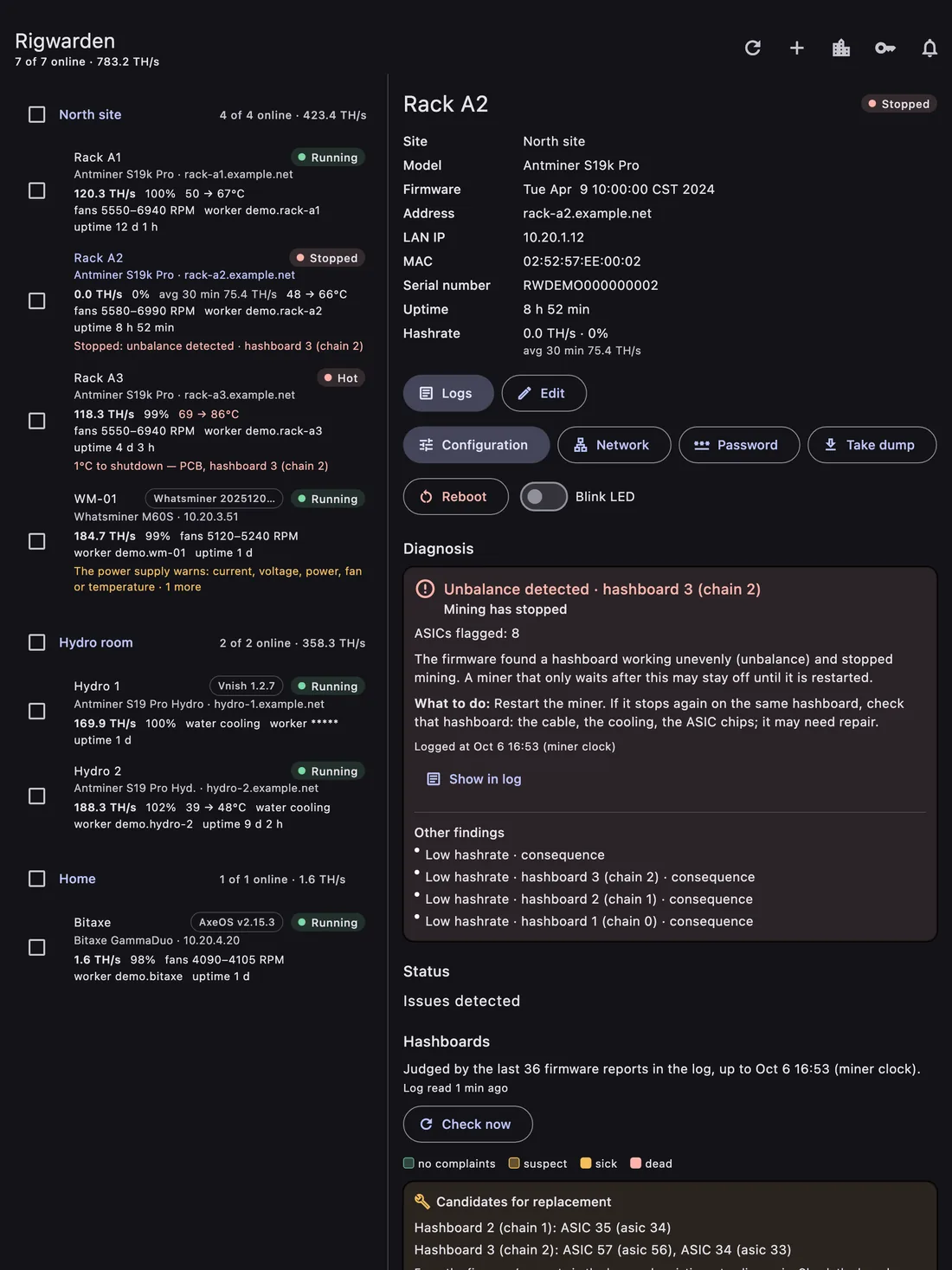
An S19k Pro reported only “Rate is lower than ideal rate”, while its log said a hashboard had gone ERROR_UNBALANCE, powered itself off and was waiting — for almost two hours. The same log had been naming the two failing chips on that board for eleven hours before it stopped.
| Stock web page | Rigwarden | |
|---|---|---|
| Many sites | one miner per browser tab | every site, live, with totals |
| Why it stopped | “Rate is lower than ideal rate” | the cause, what to do, the exact log line |
| Failing chips | only dead ones | chips that are failing, before the board stops |
| Temperature | numbers per sensor | inlet → outlet, ΔT, margin to the firmware’s shutdown |
| History | — | every run and restart, uptime over 7 / 30 days |
| Alerts | — | in the background on Android and Mac |
| From anywhere | VPN or an exposed port | your HTTPS domain, no VPN |
Know why a miner stopped
Unbalance, overheating, a lost fan, a power fault, a network drop, water not flowing, pool trouble — in plain words, with what to do and a jump to the exact log line. Consequences are shown as consequences, not as the cause.
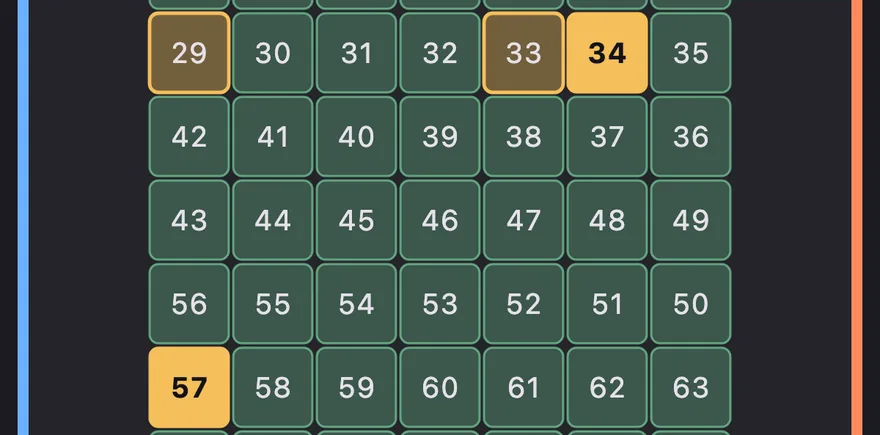
Catch failing chips before the board dies
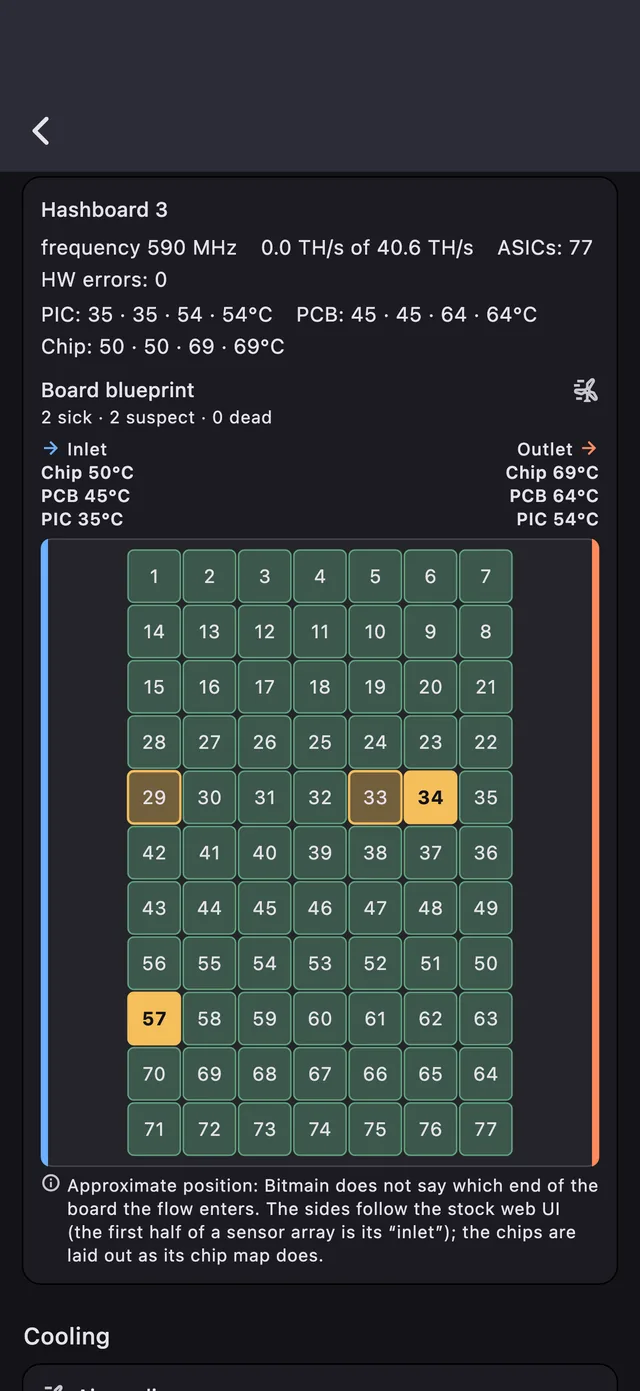
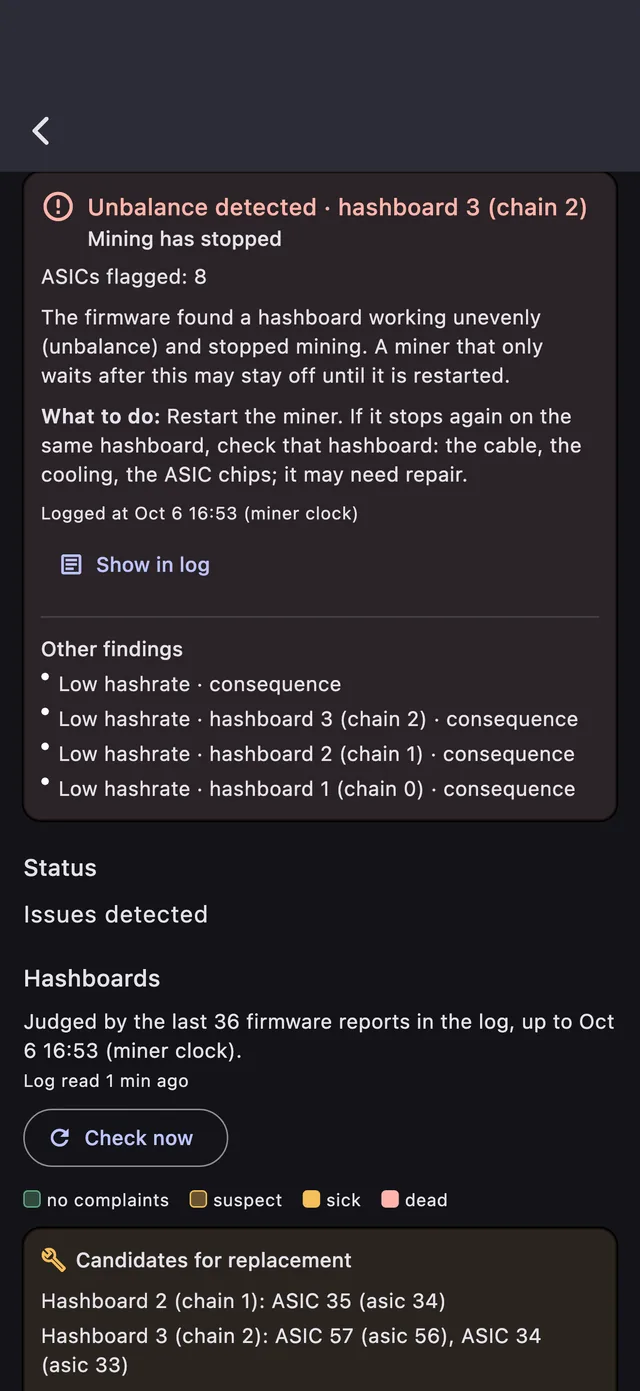
Chips the firmware keeps flagging are marked on a drawing of the hashboard, with a copyable list of replacement candidates for your repair shop.
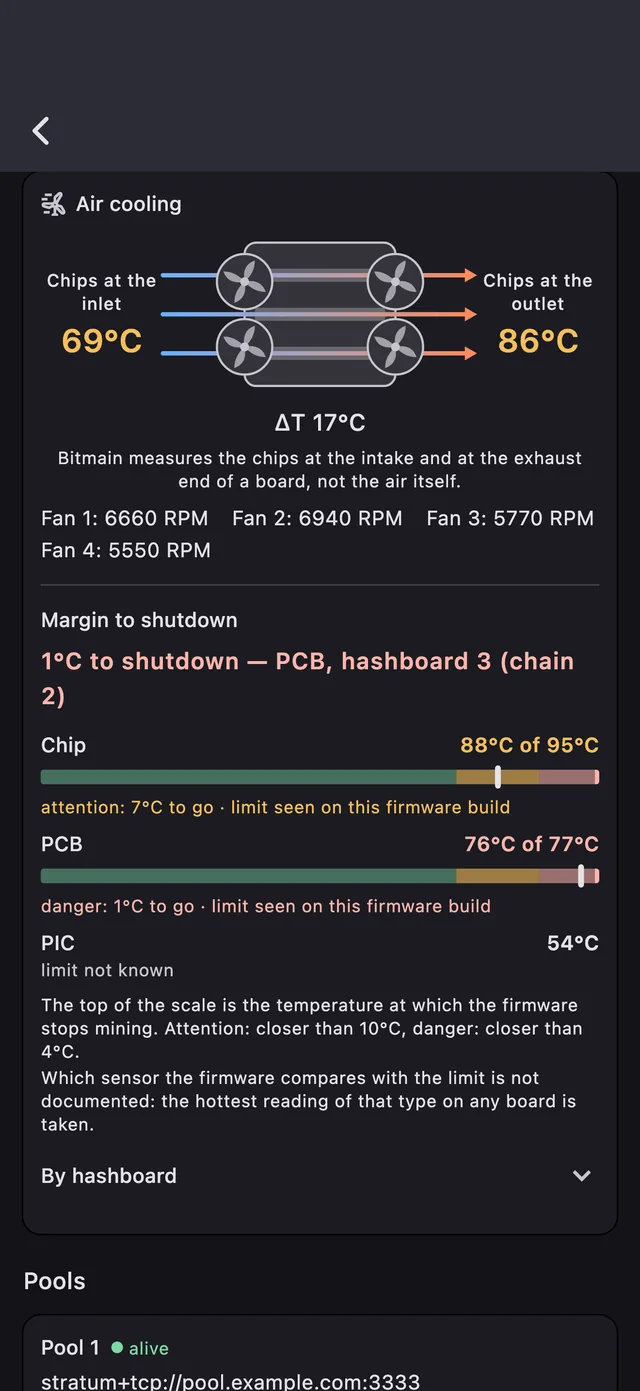
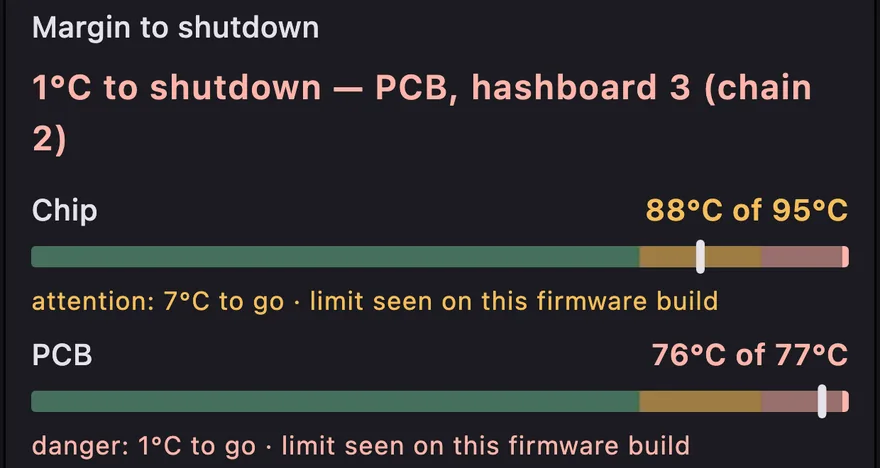
1 °C to shutdown? You’ll see it first
A schematic of the airflow or the water loop — inlet → outlet and ΔT — and a scale for every sensor whose top is the firmware’s real shutdown limit.
Alerts the moment a miner stops
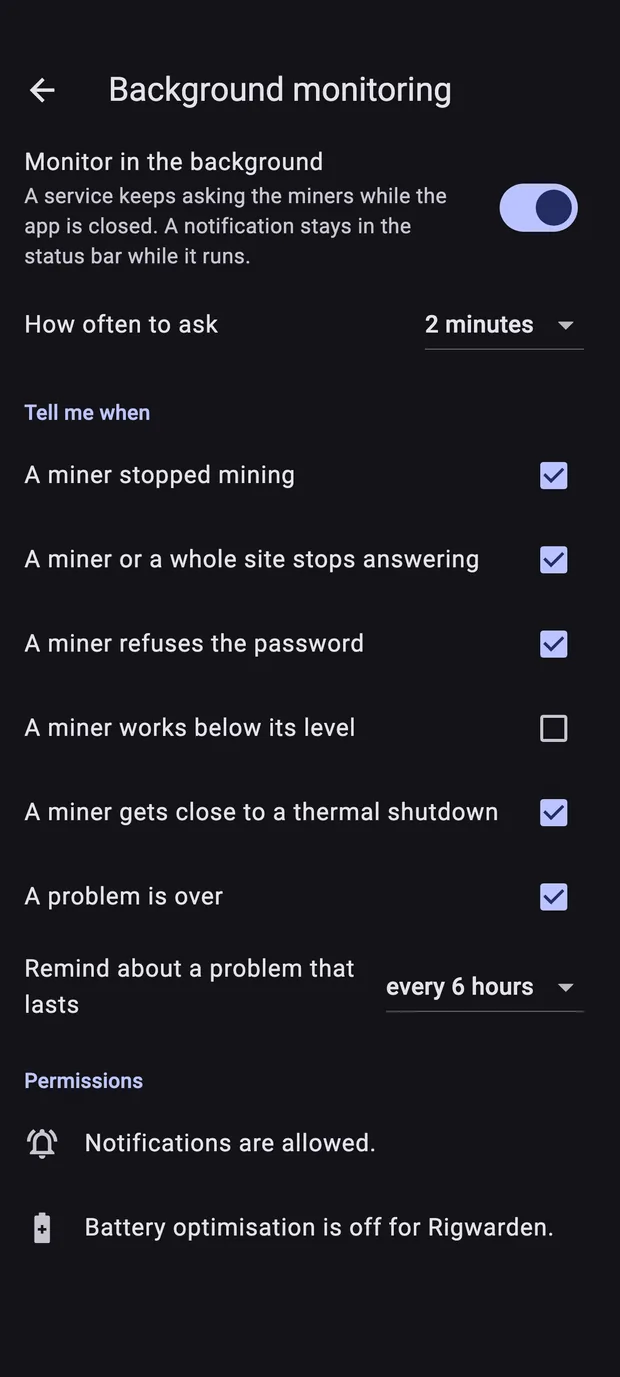
On Android and Mac Rigwarden keeps watching in the background: a miner that stops, drops off the network, rejects the password, comes back or gets close to its thermal shutdown. Flaky links are debounced; a whole site going quiet is one alert, not twenty.
On iPhone and iPad Rigwarden watches your miners while the app is open.
 12:00
12:00
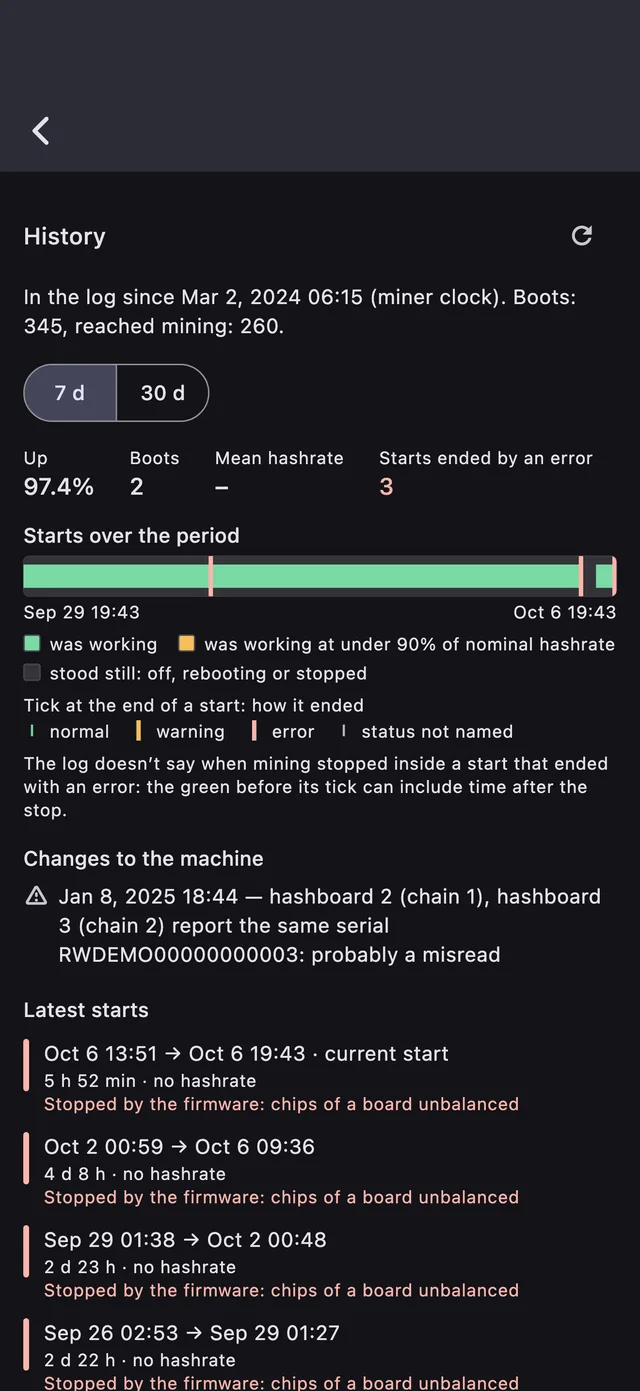
Every run, every restart
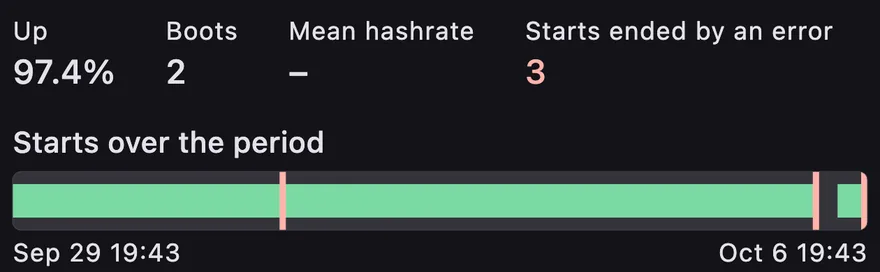
The miner’s own lifecycle journal: how long each run lasted, its average hashrate and how it ended — and the uptime over 7 and 30 days.
Four firmwares, one list
One record per machine, whatever it runs. What each firmware can do depends on its own API — and Rigwarden says so instead of pretending.
Antminer
Everything: the diagnosis from the log, sick chips, cooling margins, run history, pools, work mode and fans, network and the web password.
Tested on live S19k Pro and S19 Pro Hyd.Whatsminer
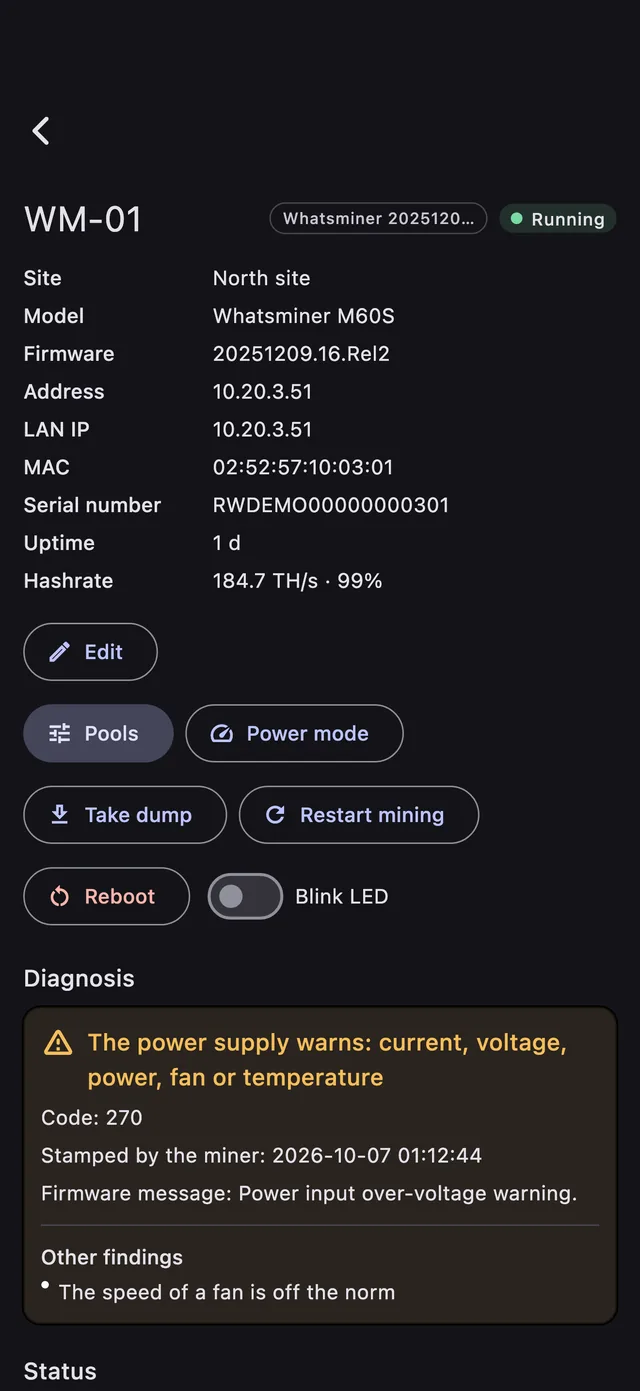
Status, error codes named from MicroBT’s table with the board and chip they point to, pools, power mode, the LED. Over LAN or VPN.
Bitaxe, NerdAxe
Status, power, fans and voltages, pools, restart, identify, pause. Changes only from the local network.
Vnish
Status, pools, tuned presets, reboot, locate.
Avalon, Braiins OS, LuxOS and other miners that answer the cgminer API are found by the scanner and listed. Models other than the two tested ones are built from firmware images and vendor documentation.
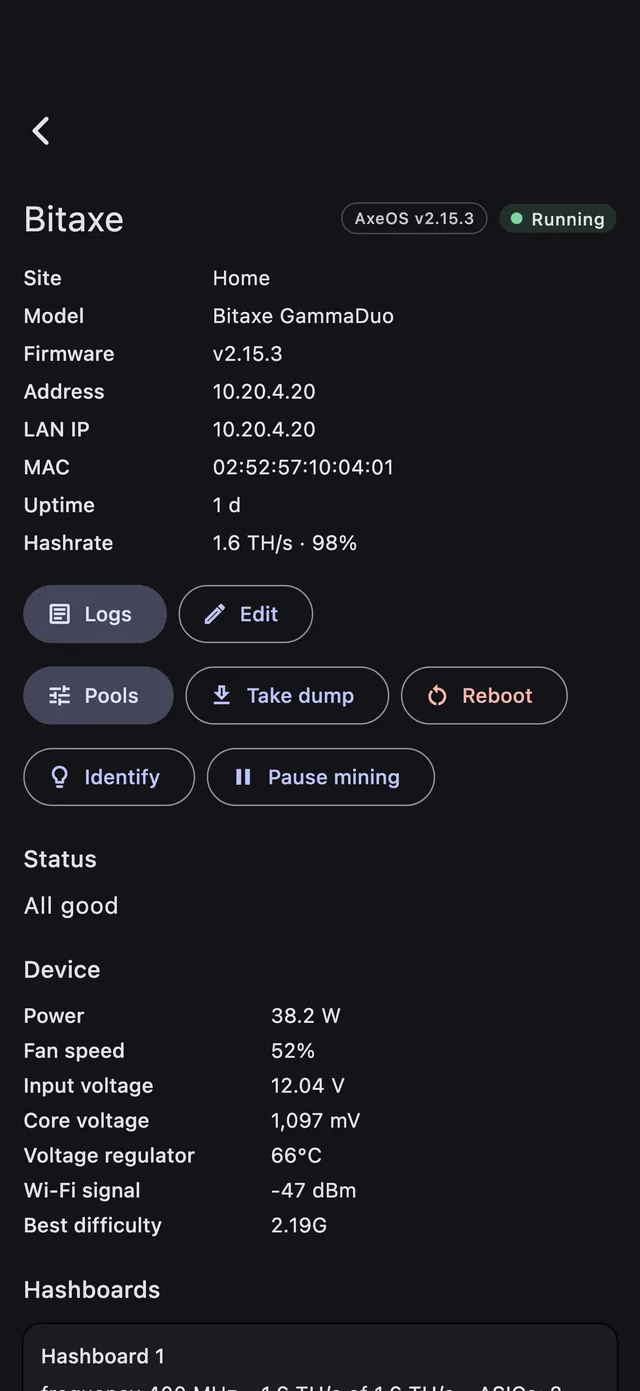
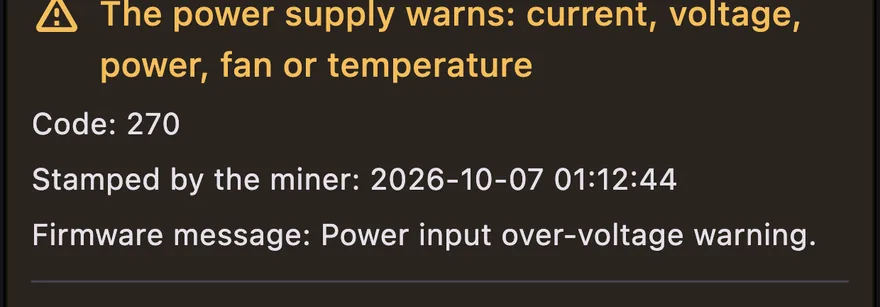
The small things that save a drive to the site
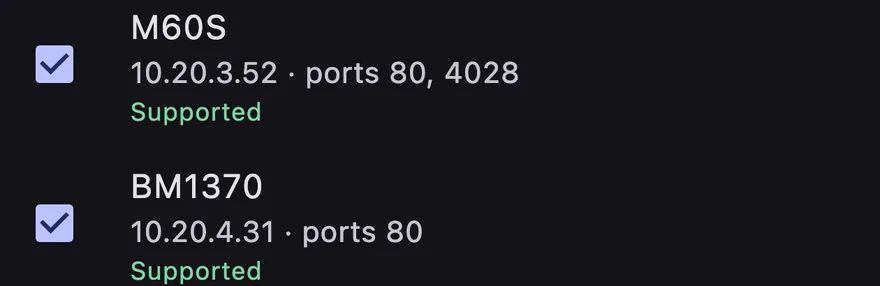
Add miners in seconds
Scan the local network, or add by address, URL or a pattern like miner{1..6}.example.net. Antminer, Whatsminer, Bitaxe and Vnish are recognised without a password.
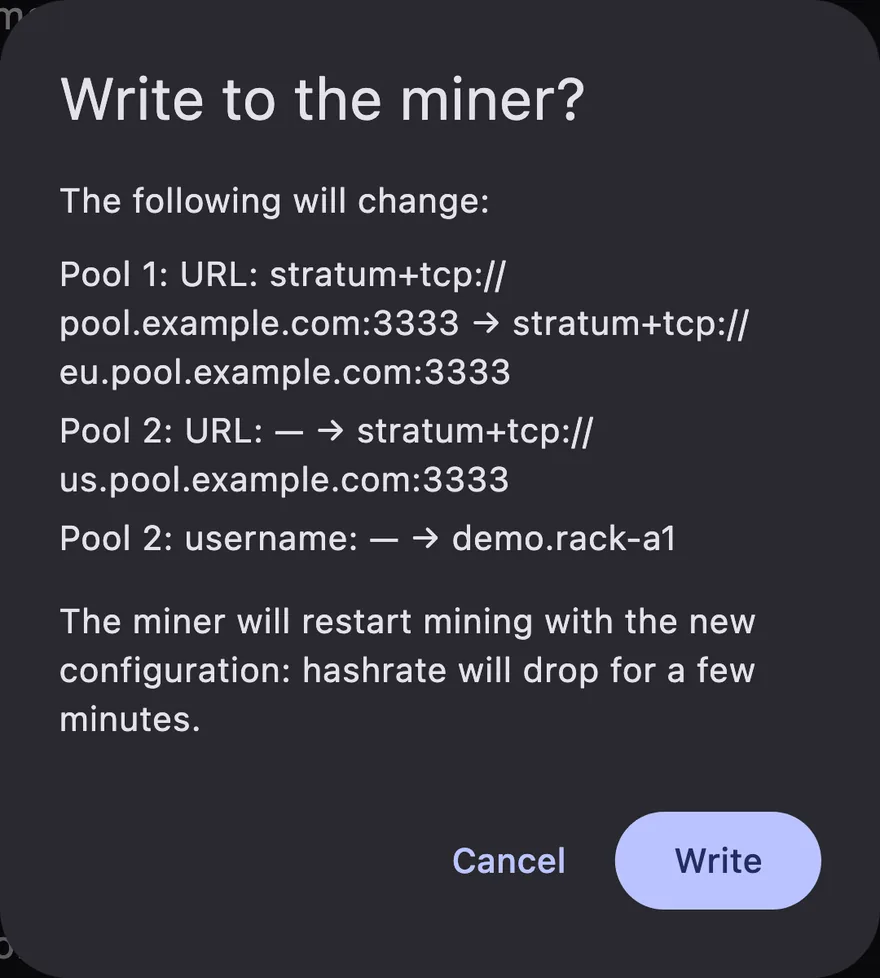
Every change as a diff
Fresh read, the change shown as a diff, your confirmation, the write, and a read back to check it. A write whose answer was lost is never sent twice.
From anywhere, without a VPN
By LAN address on site, by your HTTPS domain (for example KeenDNS on a Keenetic router) from anywhere. The right address is picked by where you are. A Whatsminer is reached over LAN or VPN only.
One record per machine
A miner is recognised by its MAC or serial number, so a new IP address or a reflashed firmware does not make a second miner — and data never comes from another machine.
Find the box on the rack
Press IP Report on an Antminer and its row lights up in the list. On Android and Mac.
A dump for your repair shop
Everything the app can read from a miner, in one zip: passwords always masked, MAC, serial, IP and worker names replaced by pseudonyms.
No cloud. No account. Nothing leaves your device.
The app talks straight to your miners over their own APIs. There is no Rigwarden server, so there is nothing to sign up for and nothing to leak.
Kept in the Keychain or encrypted with an Android Keystore key, sent only to the miner they belong to — never in files, logs or exports.
Nothing is written to a miner without your confirmation, and the result is read back and checked.
No analytics, no ads, no crash reporting. Not even on this website: no cookies, no third-party fonts or scripts.
On your phone, your tablet and your Mac
iOS 15+. The whole fleet in your pocket; on iPad the list and the miner side by side. Watches your miners while the app is open.
Android 7+. A background service keeps watching while the app is closed, survives a reboot and sends alerts.
macOS 12+. Lives in the menu bar, keeps watching after the window is closed, starts at login and sends alerts.
Questions
Does Rigwarden mine cryptocurrency on my phone?
No. It monitors and manages your own mining hardware. Nothing is mined on the device.
How does it reach my miners?
On site, by their LAN address. From anywhere, by your own HTTPS domain — for example KeenDNS on a Keenetic router — without a VPN for Antminer and Vnish (Bitaxe: read only through a domain). A Whatsminer’s API is raw TCP, so it is reached over LAN or VPN only.
Which miners are supported?
Antminer on the stock Bitmain firmware (tested on live S19k Pro and S19 Pro Hyd.; S19j Pro, S19 XP, T21, S21 Hyd., S21 XP Hyd., S19 XP+ Hyd., L9 and others from firmware images), Vnish 1.2 / 1.3, AxeOS devices (Bitaxe, NerdAxe) and MicroBT Whatsminer. Other miners that answer the cgminer API are listed by the scanner.
Is it safe to give the app my miner’s password?
The password stays on your device — in the Keychain or encrypted with an Android Keystore key — and goes only to the miner it belongs to, only in the way its firmware requires. Reads of Vnish, AxeOS and Whatsminer need no password at all.
Does it change anything on my miners by itself?
No. Every change is your action: a fresh read, the change as a diff, your confirmation, the write and a read back. There is no factory reset and no firmware flashing in the app.
Why don’t I get alerts on my iPhone?
iOS does not let an app keep asking devices on the network in the background. Background alerts are available on Android and Mac; on iPhone and iPad Rigwarden watches while it is open.
My model behaves oddly. How can I help?
Take a dump of that miner in the app (passwords are always masked, identifiers replaced by pseudonyms) and send it to us with a few words about what you see.
Something else? Write to us:
support@rigwarden.appKnow before you drive to the site.
Coming soon to the App Store and Google Play